
A Quick Story from the Trading Floor
On October 10th, 2025, the U.S. government announced 100% tariffs on Chinese imports. Markets reacted instantly — indexes dropped within seconds.
Because I had my Hammer Pro hotkeys ready, I immediately canceled all my long-side orders with one keystroke before things turned ugly. Moments later, I closed nine open long positions – no hesitation, no panic, just pure execution.
Then I flipped short. My Reserve Locates hotkey automatically borrows shares within my preset limit of $7 per 100 shares, cutting the process time by nearly 80%. With that, I was able to enter short positions faster and at better prices.
That’s the difference between reacting emotionally and executing with precision.
Customizing Your Speed
- Create simple one-button actions
- Design multi-step workflows with conditions and variables
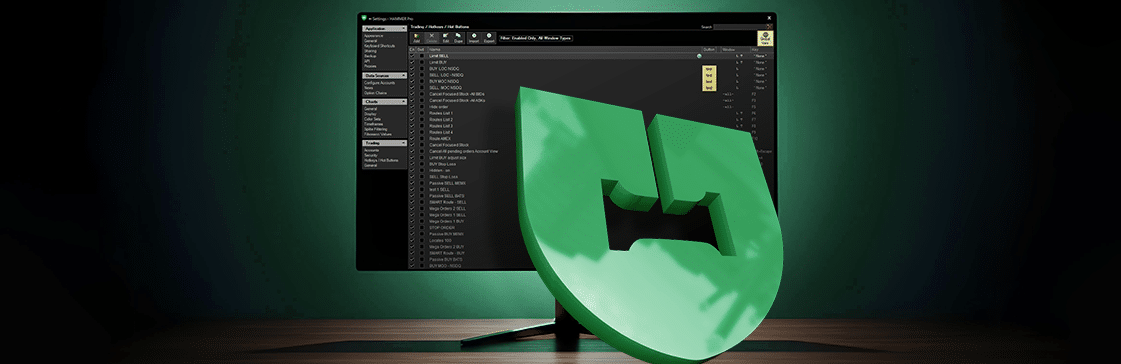
Some hotkeys open a trade ticket for review, while others execute instantly — allowing you to trade almost entirely without touching your mouse.
Want to build your own setup? Check our guide:
Real Traders, Real Setups
Many professional traders ask how to build smarter hotkeys that can perform multiple actions based on real-time conditions.
Hammer Pro’s hotkey engine supports over 200 variables — including AskPrice, LastFillPrice, and TicketLimitPrice — giving you the flexibility to automate virtually any trading style or market approach.
Together with our clients, we’ve built hotkeys that:
- Auto-adjust order prices relative to the spread
- Instantly close open positions
- Combine actions such as “close LONG + reverse SHORT” in one keystroke
This isn’t theory — it’s how top traders turn complex decisions into clean, executable actions.
Full Keyboard Trading: Total Control Without the Mouse
For some, customization is just the beginning. A growing number of Hammer Pro users now trade entirely by keyboard.
- Execute, cancel, or modify orders instantly
- Switch between panels (Level 2, Positions, Transactions, etc.)
- Navigate and manage orders in real time
For high-frequency or momentum traders, this setup removes friction and adds rhythm — turning milliseconds into measurable advantage. It’s not for everyone, but for those who thrive on precision, it’s transformative.
The 7 Most-Used Hotkeys Among Professional Traders
After surveying more than 100 professional users, these are the most-used and trusted Hammer Pro hotkeys.
1. Cancel All Orders
Used by: ~70% of traders
Instantly cancels all active orders — perfect for fast reversals or sudden volatility spikes.
2. Limit SHORT Aggressively / Close LONG
Used by: ~45% of traders
Executes an aggressive SHORT up to $0.18 below the Ask or quickly closes a LONG position. Ideal for volatile spreads when speed and control both matter.
3. Limit BUY Passive / Close SHORT
Used by: ~60% of traders
Places passive BUY orders that auto-adjust to price range or closes SHORT positions with full size — simple and efficient.
4. STOP-Loss Order
Used by: 50%+ of traders
Fully customizable for both LONG and SHORT positions. A common setup:
Limit Price: $0.20 below entry borrowing
Stop Price: $0.10 below limit
5. Close Position (LONG or SHORT)
Used by: ~60% of traders
One key instantly closes all open positions — no hesitation, no wasted motion.
6. Locate Reserve
Used by: ~75% of traders
Automates borrow requests up to five times faster than manual methods. Traders define their locate size (often 100 shares) and maximum price per share to match their strategy.
7. Imbalances (DQOP BUY/SELL)
Used by: ~90% of traders
Among the most popular tools during market imbalances — especially active in the 30 minutes leading up to the market open.
Final Thoughts: Discipline Defines the Edge
- Use double-key combinations for high-risk actions
- Review and refine layouts regularly
- Practice in simulation before going live
- Keep it simple — map only what you truly need
The same speed that makes hotkeys powerful can also magnify mistakes. Respect that power, and hotkeys become more than shortcuts — they become extensions of your precision and intent.
Ready to customize your own workflow? Explore Hammer Pro’s full guide series on You Tube to building professional-grade hotkeys and start trading with confidence and control.